
Manual testing
Command modifications
Use modifiers and macros to adapt DALI commands for advanced test scenarios.
Mediator Raw Data
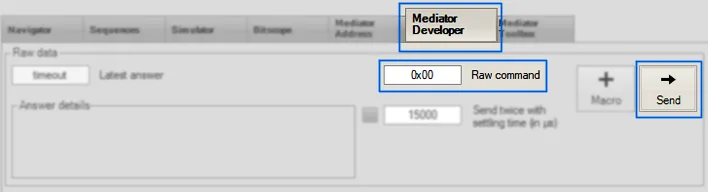
Select "Mediator Developer".
Type in "Raw Command" as a hexadecimal number.
Tip: Use six digits for 24-bit frames.
Click "Send".
Commands from List
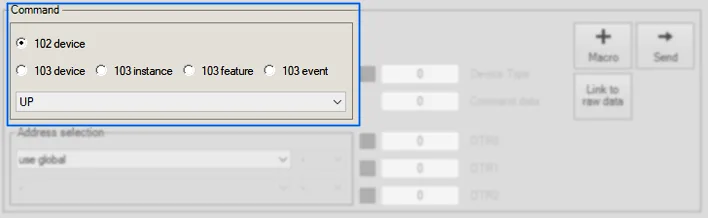
Select command from list.
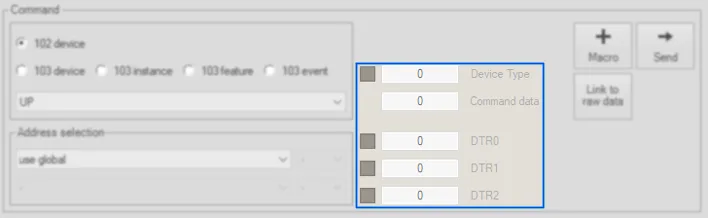
Depending on your command you might enter additional "Command data" or put an "ENABLE DEVICE TYPE" or "SET DTR" in front.
Click "Send".
Tip: Activate "Link to raw data" and fields at "Raw data" will follow your selection.
Tip: Use "Address selection" here to override the address from the "Mediator Address" tab.
Macros
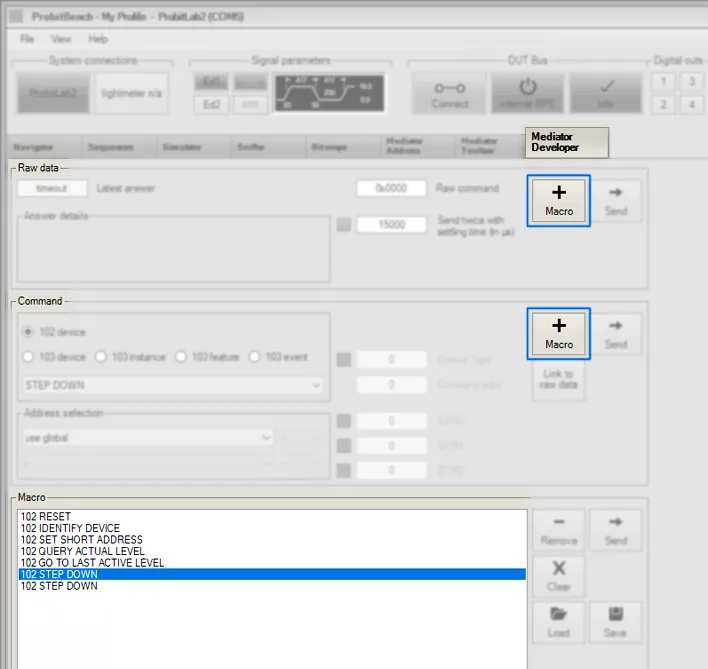
Add commands with the "+ Macro" buttons from "Command" and "Raw data".
Tip: If no address is specified, the currently selected address from the "Mediator Address" tab will be used.
Need help with this step?
Our DALI engineers are happy to help with any ProbitLab or ProbitBench question.