
Jul 18, 2025
eFIXX: DALI fittings not responding? Addressing problem
When DALI fittings stop responding, the cause is often an addressing conflict on the bus. eFIXX uses the ProbitSite, the DALI Multimeter, to find the issue in seconds.
Video transcript
Auto-generated transcript of the eFIXX video, lightly edited for readability.
0:00DALI is the most widely used lighting control protocol in commercial buildings. It's reliable. It works with fittings and control gear from different manufacturers. And when it's commissioned properly, it just works. But there's one part of DALI that still trips people up. You replace a fitting, you power it up, and nothing responds. The wiring's fine. The fitting's brand new. The problem, it hasn't been addressed, and suddenly what should have been a simple maintenance job turns into a commissioning headache. And nine times out of 10, it comes down to one
0:28thing, addressing. So what is a DALI address? Every device on a DALI line, whether it's a LED driver or a fitting, is given its own number. Think of it like house numbers on a street. The controller sends a command to number 12 and only number 12 responds. The issue is when you replace a fitting, the new one doesn't automatically take the old number. It might have no address at all or it might have a completely different one. So, the system is still talking to number 12,
0:56but the fitting you've just installed isn't number 12 anymore, and that's why nothing happens. In this video, I'll show you how to address a DALI fixture without calling in a technician. Whether you're maintaining an existing system or setting up a small installation, this is how you get control back. Now, if what I've just said sounded like an alien language and you're thinking, "What even is DALI?" Start with our DALI for beginners video. I'll leave a link in the description, but if you've ever been dropped into a DALI maintenance job,
1:23you'll know the feeling. You're in a jam down in the tube station at midnight, out of hours trying to get the lights back on so the place can open in the morning. And you immediately think, right, I'm going to need the right software, the right access, the commissioning files, and someone who actually knows what address was meant to be what, which, which is brilliant, unless none of that exists at midnight. And this is the bit you'll want to see. The secret to cracking DALI addressing is the updated ProbitSite from Lichtvision Engineering. It gives you the
1:50power to change a DALI address yourself on site so you can get the job done and get out of there. The easiest way to think about ProbitSite is this. It's like a multimeter for DALI Lightning Control. Last year on the channel, we used it for DALI fault finding, tracking down wiring issues and missing devices. But from firmware version 1.5 onwards, it can now change the address of DALI fixtures. To unlock that, you enable expert mode in the Windows companion app. I'll show you that
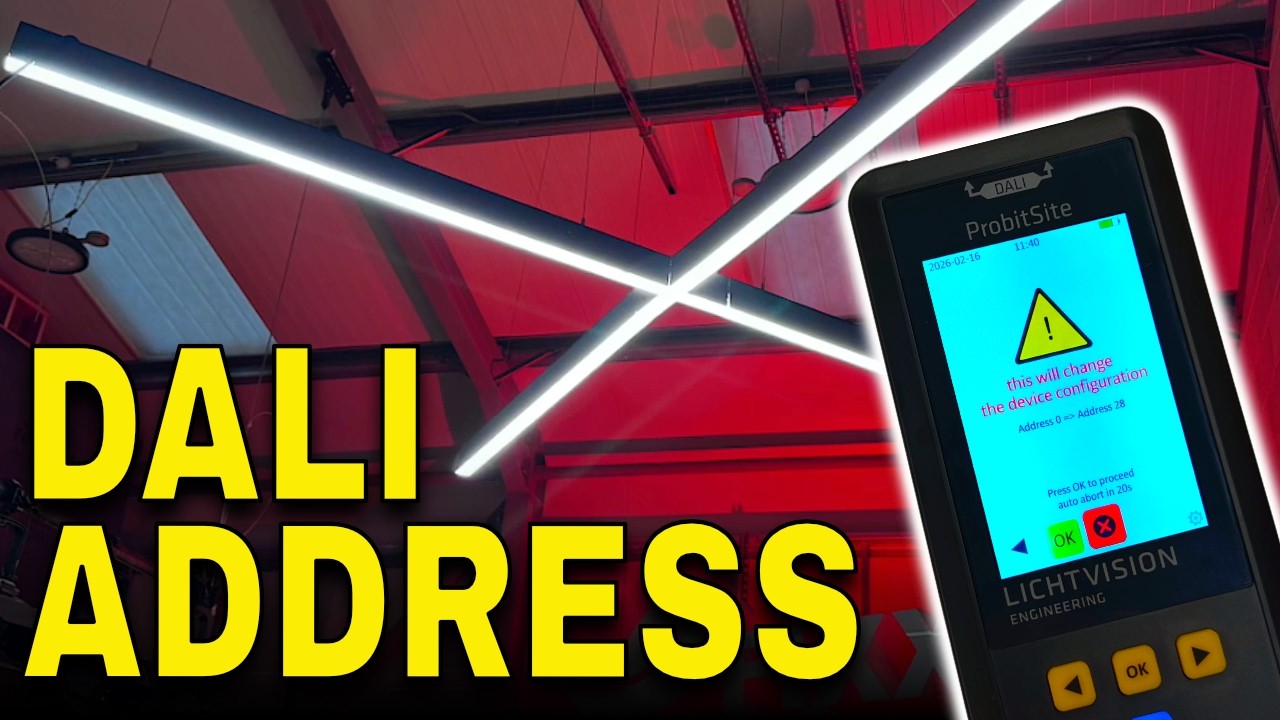
2:17shortly. But first, let's look at a practical example. Here in the eFIXX studio, we've just installed a robust Zigzag fitting. It's DALI controllable and inside it has four separate LED drivers. We [clears throat] want to control it from our main studio lighting console which runs on DMX. So, we've installed a DMX to DALI converter to bridge the two systems. To integrate it into our existing setup, we need those four drivers addressed as 28, 29, 30, and 31. So, let's do that. First,
2:46connect the ProbitSite to the DALI bus feeding the fittings. Run a scan, and you can see it's identified four DALI, two devices on the line. One already addressed, and three currently unadressed. Before changing anything, I can scroll through each device and use the identify function to confirm the physical fitting I'm working on. That's particularly useful on maintenance jobs. To set the address, I scroll to the toolbox icon and press okay. At the top of the screen, I can see the existing
3:13address. I scroll through and select a free address. In this case, 28. I get a clear warning that I'm about to change the system. Accept that and the new address is sent to the driver. At the top of the screen, you see confirmation of the change with the old address crossed out and the new one displayed. Then it's simply a case of repeating the process for the remaining drivers, 29, 30, and 31. Once complete, reconnect the DALI bus back to the control system. And now you can see the lighting fixture responds correctly to the control
3:41signals from the lighting desk. Now, let's take a look at the ProbitSite Windows app. You install it on any Windows PC, then connect Probit Bitsite using the USBC port. Once it's connected, the app pulls in your latest DALI scans from the unit so you can review them on a bigger screen. This is also where you switch between normal mode and expert mode. and expert mode is what unlocks the address setting function. On this same screen, you can also see the current software/firmware version, so you know you're on the right
4:10release. The nice thing is when you change modes in the app, you see it instantly on the ProbitSite screen as well. There's no guessing whether it's taken. And when you're actually using the tester in expert mode, you'll see a little cog icon in the lower right corner of the LCD just to remind you you're in the mode that can make changes. Now, within the ProbitSite app, you can also create projects and then assign your downloaded scans to a specific project. On screen, I've already created one for our studio. And
4:39inside that project, you can drill right down into the devices at a granular level, and inspect the scan data, including the real-time log. And you can generate a PDF report showing things like address settings and the types of control gear found on the line. That's useful if you've commissioned a small install like ours and want something to hand over to a client or if you're faultf finding and you need to send details over to order spares or get support. I'll leave a link in the
5:05description where you can find out more about the ProbitSite. This is the second time we've used this on the channel. The first outing we used it to perform some fault finding. So, make sure you check out the video on screen now where you can find out how we got on there. And that's the great thing about this product. It's getting better over time as more features are added with firmware updates. Make sure in the comments you let us know the challenges that you're facing on site so that this product can be further developed. And I'm sure you're already thinking about
5:34scenes and groups that are also stored inside DALI control game. And I'm sure the team at Lichtvision are also thinking along those lines, too. But make sure you get those comments in so you can help drive future updates and our DALI content that we feature on the
Want to try the same workflow? Update to the latest firmware on the Support & Downloads page, then use Expert Mode to inspect and reassign DALI short addresses.